
How to plan mainframe to cloud migration end to end
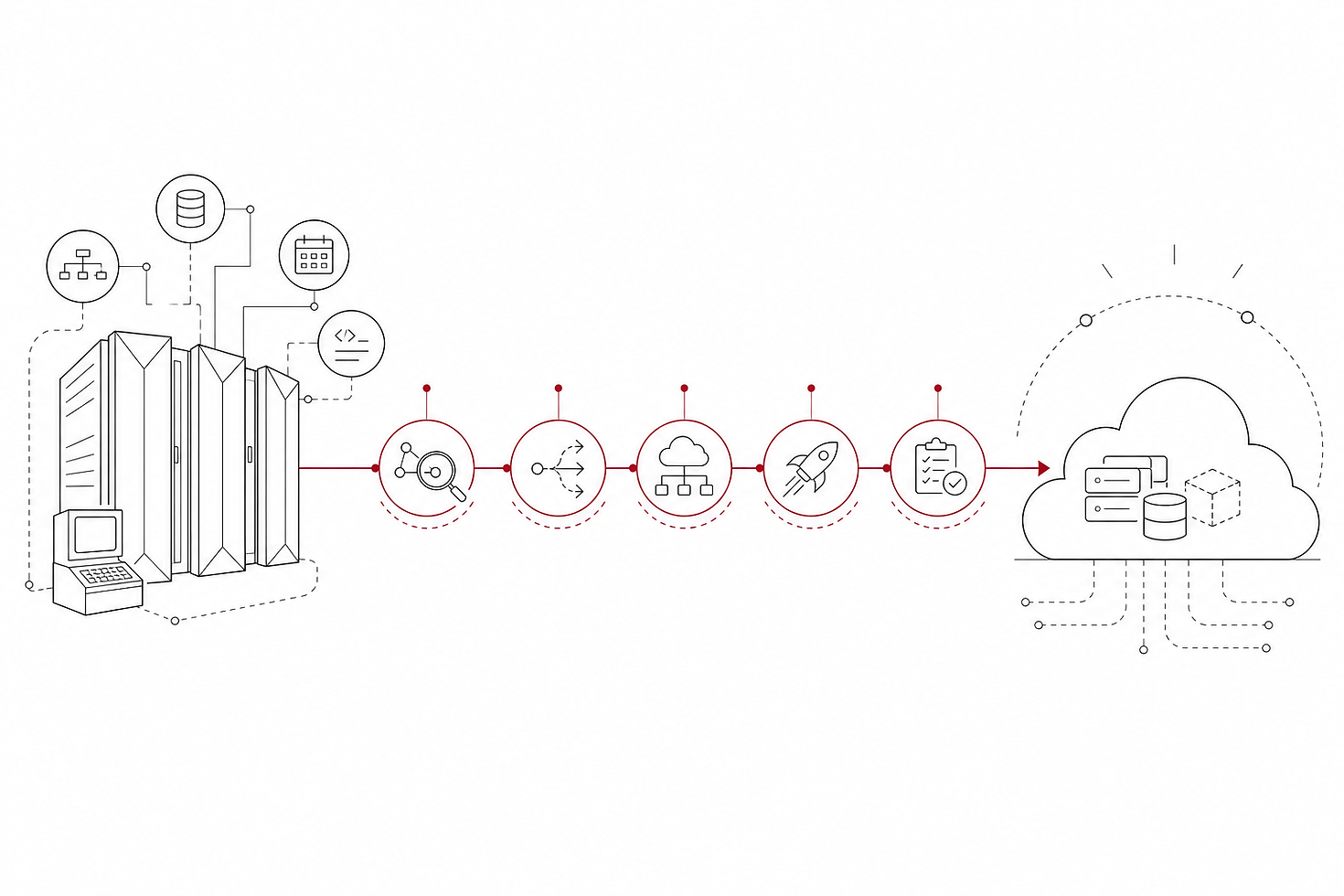
Mainframe to cloud migration requires five ordered steps: assess workloads and dependencies, choose a migration strategy, design the target cloud architecture, execute migration in prioritized waves, and validate operations post-cutover. Each step produces decisions that constrain the next, so a gap early in the sequence compounds into a much larger problem later. Teams that skip or reorder steps most often find themselves stalled or over budget.
Why Mainframe to Cloud Migration Demands a Structured Plan
A mainframe is not a server you can simply move. It is a tightly coupled environment where applications, databases, batch schedulers, and transaction engines have grown together over decades, often without documentation that reflects how the system actually behaves today.
Most mainframe estates carry COBOL programs that no current team member wrote. Business logic lives inside those programs that no requirements document describes. A batch job that runs at 2 a.m. may feed twelve downstream systems, and the people who designed those connections may no longer work at the company. That kind of hidden dependency does not show up in an architecture diagram.
Moving one piece of a mainframe without understanding the others creates failures that are harder to diagnose in the cloud than on the mainframe. The interdependencies between applications, databases, batch schedulers, and transaction engines are what make a mainframe estate different from a collection of independent applications. Teams that skip the planning phase typically discover these dependencies mid-migration, when course-correcting costs the most.
The throughput characteristics of a mainframe also differ from cloud compute in ways that matter. Mainframes process high-volume batch workloads and online transaction processing simultaneously, with predictable latency. Cloud architectures can match that performance, but only when designed specifically for it. A default cloud deployment pattern will not replicate mainframe behavior without deliberate architectural choices.
A structured plan forces those choices before migration begins, not during it.
Step 1: Assess Your Mainframe Workloads and Dependencies
Assessment is the step teams most frequently underestimate. The goal is not to produce a list of applications. It is to produce a complete picture of what each application does, what it depends on, and what depends on it.
Complete these discovery activities before any migration work begins:
Catalogue every application on the mainframe. Record the application name, owning business unit, primary function, and the language it is written in (COBOL, PL/I, Assembler, or other). Note whether active development is still happening or whether the application is in maintenance-only mode.
Map data flows between applications. Identify which applications read from or write to shared databases, VSAM files, or message queues. A single shared dataset can create coupling between applications that appear unrelated on an org chart.
Identify all batch jobs and their schedules. Batch processing is often the most complex part of a mainframe estate. Document each job's trigger, its runtime window, its inputs and outputs, and the downstream systems that consume its output files. Pay particular attention to jobs that cross midnight, since these create date-handling edge cases that surface during testing.
Measure utilization by application and by time window. Understand peak load periods, average transaction volumes, and the compute and I/O profile of each workload. This data directly informs the compute and storage design in the target cloud architecture.
Surface hidden dependencies. Run automated discovery tools across the mainframe to identify program calls, database access patterns, and file I/O that are not captured in existing documentation. Legacy codebases frequently contain dead code, undocumented utility programs, and shared subroutines that only appear when you inspect the actual execution paths.
Interview the people who operate the system. Automated discovery captures what the code does. It does not capture why certain jobs run in a specific order, which batch windows are contractually constrained, or which reports a business unit depends on by 7 a.m. That knowledge lives with operators and business analysts, and it must be captured before they are no longer available to answer questions.
The output of Step 1 is an application inventory with dependency maps, utilization profiles, and a documented list of operational constraints. Without this, every subsequent decision rests on incomplete information.
Step 2: Choose the Right Migration Strategy for Each Workload
Not every mainframe workload should follow the same path to the cloud. The right strategy for each application depends on its business criticality, the complexity of its code, and how closely its function maps to a capability that cloud-native services already provide.
The five standard strategies are worth applying deliberately, not defaulting to one across the board.
Strategy | What it means | Best fit |
Rehost | Move the application to cloud infrastructure with minimal code changes, typically using a mainframe emulation layer | High-complexity COBOL with stable requirements and low tolerance for functional change |
Replatform | Migrate to a cloud-managed equivalent service with targeted modifications, such as moving a mainframe database to a managed cloud database | Applications where the core logic is sound but the underlying platform is the constraint |
Refactor / Re-architect | Rewrite or significantly restructure the application to use cloud-native patterns | Applications with active development roadmaps, high scalability requirements, or logic that maps well to microservices |
Retire | Decommission the application entirely | Redundant applications, duplicate functionality, or systems with no active users |
Retain | Leave the application on the mainframe, at least for now | Applications with regulatory constraints, extreme complexity, or no clear cloud equivalent in the near term |
To assign a strategy, score each application on three dimensions: business criticality (what breaks if this fails), code complexity (how much of the logic is documented and testable), and cloud-readiness (whether a cloud-native equivalent exists and is mature enough to trust). High criticality combined with high complexity usually points toward rehost or retain as a first move, with refactoring deferred to a later wave. Lower complexity with an active development roadmap is a candidate for refactoring now.
Retain is not a failure. Some workloads genuinely belong on the mainframe for another two or three years while the surrounding estate moves. Forcing them to migrate on the same schedule as simpler applications adds risk without proportional benefit.
Step 3: Design the Target Cloud Architecture
Once every workload has a strategy assigned, the architecture work begins. This step translates the inventory and strategy decisions from Steps 1 and 2 into a concrete technical design that the migration team will build toward.
The first decision is cloud provider selection. For most mid-market enterprises, this means choosing a primary provider and deciding whether a secondary provider is needed for specific workloads. The choice affects which managed services are available, how network connectivity back to on-premises systems is structured, and which compliance certifications apply by default.
Compute and storage patterns deserve particular attention when replacing mainframe workloads. Mainframes handle high-volume transaction processing and large batch workloads on the same hardware, with predictable I/O throughput. Cloud architectures can match that profile, but the default instance types and storage tiers are not designed for it. Workloads migrated from a mainframe typically need higher-memory compute, fast attached storage, and careful tuning of I/O limits. Design these explicitly rather than inheriting cloud defaults.
High availability design must account for the mainframe's existing reliability characteristics. Most production mainframes run at very high uptime. The target architecture should specify availability zones, failover behavior, and recovery time objectives for each workload tier before migration begins, not after an incident exposes a gap.
Network connectivity planning covers two areas. First, the path between the cloud environment and any systems that remain on-premises during and after migration, including the mainframe itself during parallel running. Second, the internal network topology within the cloud environment, covering segmentation, routing, and latency between application tiers.
Security and compliance guardrails should be defined as infrastructure policy, not applied manually after deployment. Identify which regulatory frameworks apply to each workload, map those requirements to cloud-native controls, and encode them as configuration the environment enforces automatically. Doing this before the first workload arrives is far simpler than retrofitting controls across a populated environment.
Step 4: Build Your Migration Wave Plan and Prioritize Workloads
A wave plan sequences workloads into ordered groups so the team migrates in a controlled progression rather than attempting to move everything at once.
Build the wave plan using these steps:
Group workloads by dependency. Applications that share data or call each other at runtime must move in the same wave or in adjacent waves with a clear handoff plan. Moving one half of a tightly coupled pair creates integration debt that is difficult to unwind.
Order waves by risk, lowest first. Place applications that are low in business criticality, well-documented, and have simple dependency profiles in Wave 1. These migrations build team familiarity with the cloud environment, the tooling, and the validation process before higher-stakes workloads are in scope.
Reserve core transaction systems for later waves. Online transaction processing applications and batch jobs that feed critical business reporting belong in later waves, after the team has demonstrated reliable execution on simpler workloads and the cloud environment has been proven stable under load.
Define promotion criteria between waves. Before Wave 2 begins, Wave 1 must meet specific criteria: functional tests pass, performance benchmarks meet or exceed mainframe baselines, data integrity checks are clean, and the application has run in production on the cloud for a defined stabilization period. Document these criteria before migration starts so there is no ambiguity about when it is safe to proceed.
Assign a wave owner. Each wave should have a named technical lead responsible for tracking progress, escalating blockers, and signing off on promotion criteria. Without a single accountable owner, waves tend to drift.
A worked wave sequence for a mid-market mainframe estate might look like this: Wave 1 covers reporting applications and internal utilities with no downstream dependencies. Wave 2 covers mid-tier batch jobs that feed non-critical data warehouses. Wave 3 covers customer-facing transaction systems. Wave 4 covers the most complex batch processing and any retained workloads being deferred for a second migration cycle.
Step 5: Execute, Test, and Validate Each Migration Wave
Execution without a structured validation process is where many migrations accumulate hidden risk. Each wave requires the same sequence of activities, applied consistently.
Follow these steps for every wave:
Run the migrated workload in parallel with the mainframe. For a defined period, both environments process the same transactions or batch inputs. Compare outputs systematically, not by spot-check. Parallel running is the most reliable way to surface behavioral differences before the mainframe is decommissioned.
Complete functional testing against documented requirements. Every business function the application supports should have a corresponding test case. Where requirements documentation is incomplete, work with business analysts to define acceptance criteria before testing begins.
Benchmark performance against mainframe baselines. Measure transaction throughput, batch job completion times, and response latency under representative load. If the cloud environment underperforms the mainframe baseline, identify the cause and resolve it before proceeding. Accepting a performance gap at this stage means inheriting it permanently.
Validate data integrity. Compare record counts, checksums, and business-critical data fields between the mainframe and cloud environments at the end of each parallel run. Any discrepancy must be traced to its cause and resolved before cutover.
Test rollback procedures. Before each cutover, verify that the team can revert to the mainframe within the agreed recovery time objective. A rollback plan that has never been tested is not a plan.
Apply cutover criteria strictly. Cutover should proceed only when all functional tests pass, performance benchmarks are met, data integrity is confirmed, and the stabilization period has elapsed. Once the mainframe capacity for that wave is decommissioned, recovery options narrow significantly. Monitor cloud costs for migrated workloads from this point forward, as consumption patterns in production often differ from estimates.
What Does a Successful Mainframe to Cloud Migration Look Like in Practice?
The five steps above are not abstract. Applied to a representative mid-market scenario, the sequence shows clearly where decisions compound and where teams most commonly stall.
Consider a manufacturing company running a mainframe estate that handles inventory management, order processing, and nightly batch reconciliation across regional distribution centers. The assessment in Step 1 reveals that the order processing application calls seventeen shared COBOL subroutines, three of which are also used by the inventory system. That dependency is not in any existing documentation. Without the assessment, those two applications would likely have been assigned to different waves, and the migration would have broken at the point of cutover.
Strategy selection in Step 2 produces a split result. The inventory management system, which has an active development roadmap and maps cleanly to cloud-native services, is assigned to refactor. The batch reconciliation jobs, which are highly complex and run inside contractual settlement windows, are assigned to rehost first and deferred for refactoring in a later cycle. Retain is chosen for one legacy reporting tool that a single business unit depends on and that has no active users outside that team.
Architecture design in Step 3 surfaces a performance gap. The default compute tier selected for the order processing workload cannot sustain peak transaction volume at mainframe latency levels. Catching this in design costs a week. Catching it post-cutover would cost significantly more.
Wave 1 covers the internal utilities. The team completes it cleanly, learns the validation process, and builds confidence. By Wave 3, when the order processing system moves, the team executes with precision because the process is already proven.
AspireNXT is a technology services firm that guides mid-market enterprises through cloud modernization and application modernization, drawing on over 1,000 delivered projects from initial assessment through post-cutover stabilization.
FAQs
How long does a mainframe to cloud migration typically take?
Duration depends on the size and complexity of the mainframe estate, the number of workloads, and how many of those workloads require refactoring rather than rehosting. A small estate with well-documented applications and limited dependencies can complete migration in under a year. Larger estates with complex batch processing, tightly coupled applications, and regulatory constraints commonly run across multiple years, progressing through waves. The assessment phase alone, when done thoroughly, takes weeks rather than days.
What are the biggest risks in mainframe to cloud migration?
The most common risks are undocumented dependencies discovered mid-migration, performance gaps that appear only under production load, and data integrity issues that surface during parallel running. Teams also underestimate the operational knowledge held by long-tenured staff. When those people leave before their knowledge is captured, the migration loses context that no automated tool can recover. Skipping or shortening the assessment phase is the single decision most likely to introduce all of these risks at once.
Can mainframe COBOL applications run natively in the cloud?
COBOL applications do not run natively on standard cloud compute. Rehosting one requires either a mainframe emulation layer that translates the execution environment, or automated code conversion tooling that transpiles COBOL to a language the cloud runtime supports, such as Java or C#. Both approaches preserve the existing business logic without a full rewrite. The choice between them depends on code volume, the availability of test coverage, and whether the application has an active development roadmap that would benefit from a more modern language.
How do you handle mainframe batch jobs during cloud migration?
Batch jobs require careful handling because they often run inside fixed time windows, feed downstream systems, and carry date-handling logic that behaves differently across environments. During migration, batch jobs should run in parallel on both the mainframe and the cloud environment, with outputs compared systematically before the mainframe version is decommissioned. Contractual or operational constraints on batch windows must be documented in Step 1 and respected when assigning jobs to waves. Jobs that cross midnight or span multiple calendar days deserve additional testing for date-boundary edge cases.
What is the difference between mainframe rehosting and refactoring?
Rehosting moves a mainframe application to cloud infrastructure with minimal changes to the code or business logic. The application behaves the same way it did on the mainframe; only the underlying platform changes. Refactoring restructures the application so it runs on cloud-native services rather than a mainframe emulation layer. Rehosting is faster and lower risk in the short term. Refactoring produces an application that is easier to develop, scale, and maintain over time, but requires more upfront investment and a higher tolerance for change during migration.
Conclusion
Mainframe to cloud migration is a sequenced planning problem before it is a technical execution problem. The five steps outlined here, assessment, strategy selection, architecture design, wave planning, and validated execution, are ordered the way they are because each one produces inputs the next step depends on. Compressing or skipping any step does not accelerate the project; it moves the cost of that work to a later phase where it is harder and more expensive to address.
Before starting, confirm that your assessment is complete enough to expose hidden dependencies, that your strategy decisions are made per workload rather than applied uniformly, and that your wave plan has documented promotion criteria before the first workload moves. Those three checks prevent the majority of mid-migration stalls.


Comments